

Part 05
Due diligence statements
Statements assembled from your register and checked against the Commission's schema, ready for you to file in TRACES.
We assemble the statement and check it against the Commission's schema; you file it from your TRACES account.
Starting a statement
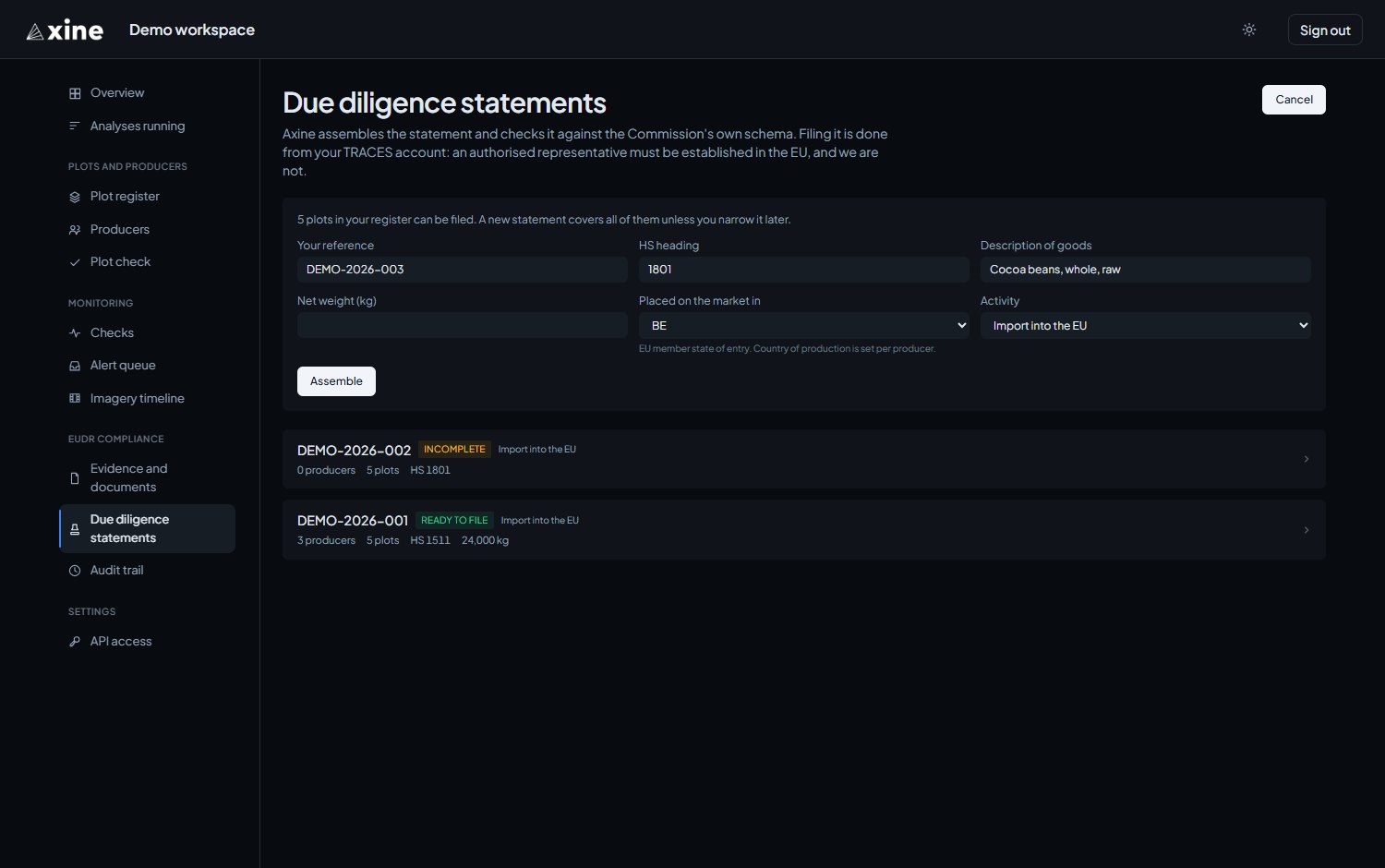
EUDR compliance › Due diligence statements › New statement
| Field | What to enter |
|---|---|
| Your reference | Your own reference for the statement. Required. |
| HS heading | The customs heading of the goods. |
| Description of goods | The goods as you would describe them to the authority. |
| Net weight (kg) | The net weight of the consignment. |
| Placed on the market in | The EU member state where the goods are placed on the market. The country of production is set per producer, not here. |
| Activity | Import into the EU, Export from the EU, Domestic or Trade within the EU. |
Assembling
Assemble covers every plot in the register that passed the geometry checks.
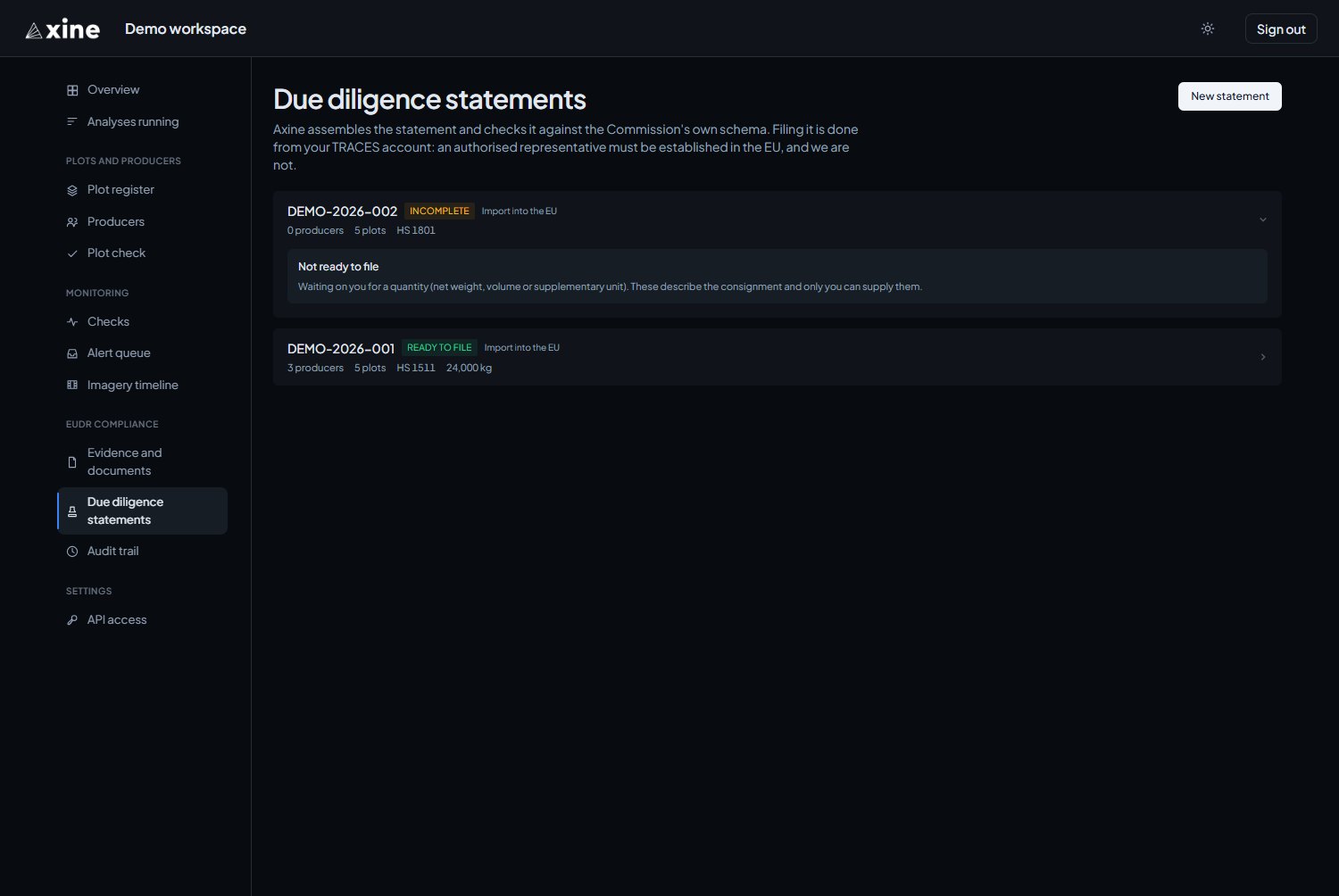
| Status | It means |
|---|---|
| Incomplete | The statement lists what is missing, such as plots with no producer, a producer with no country, or consignment details only you can supply. |
| Ready to file | The Commission's schema accepted it. |
| Filed | You have recorded the numbers TRACES returned. |
Downloading and filing
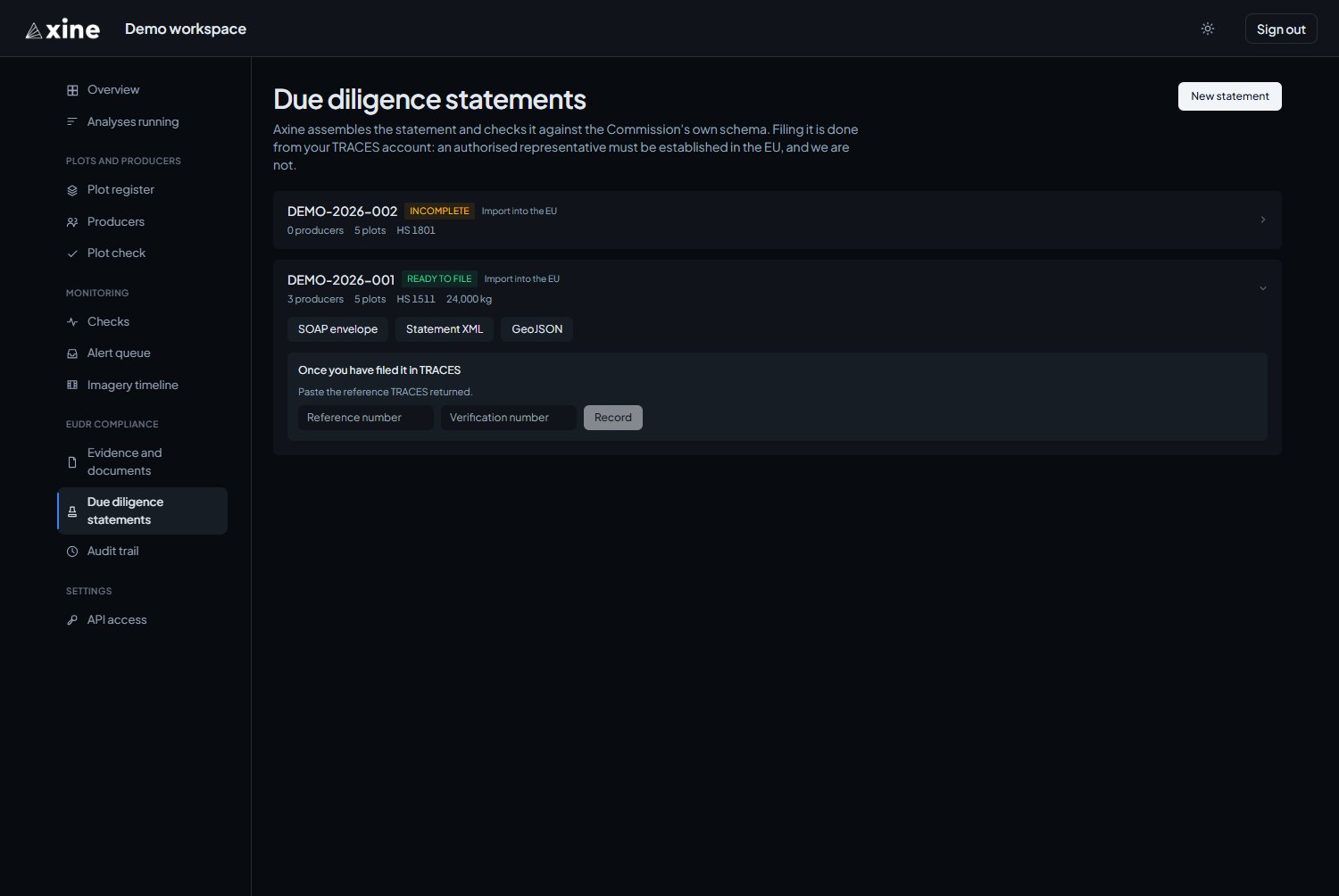
Ready and filed statements offer three downloads: SOAP envelope, Statement XML and GeoJSON. File the statement from your TRACES account.
After filing, paste the Reference number and Verification number TRACES returned and press Record.
Changing a statement
The portal has no edit form for an assembled statement. Change one through the API (see API access), or assemble a new one under a new reference.