
Part 08
Areas we watch for you
Checks, the alert queue, the imagery timeline and your delivered documents fill once the Axine team publishes to you.
The pages under Monitoring, and Evidence and documents under EUDR compliance, show work the Axine team does for you. Each fills once the team sets up a watch over an area of yours or publishes a result to you, and until then it is empty.
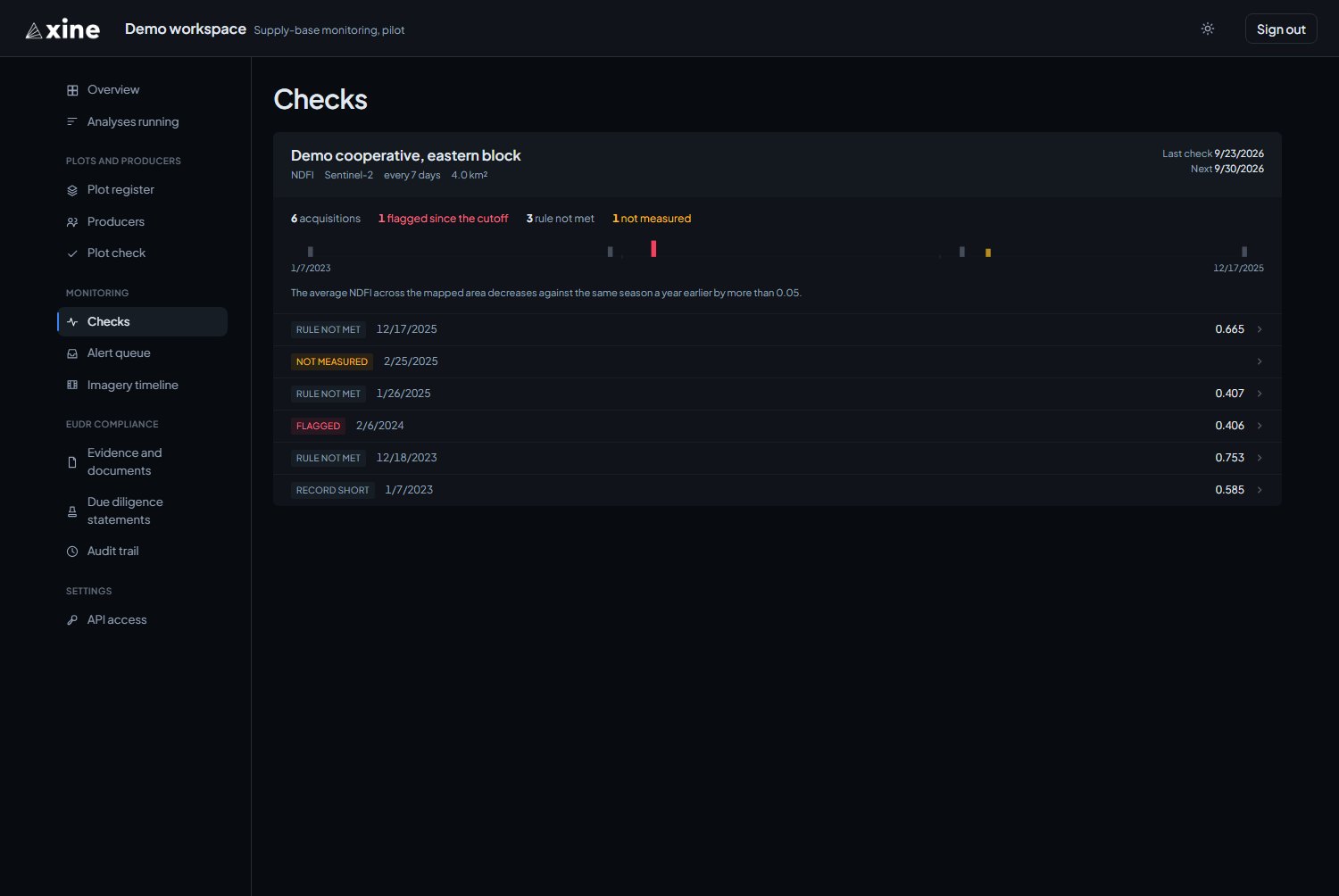
Checks
Monitoring › Checks
Areas the Axine team watches for you, shown once a result over that area has been published to you. Each area shows the layer, the sensor, the cadence, the last and next check, a time bar of every acquisition, and counts of acquisitions flagged since the cutoff, those where the rule was not met, and those too cloudy to measure.
Click a run of acquisitions on the time bar to see each date's reading.
Alert queue
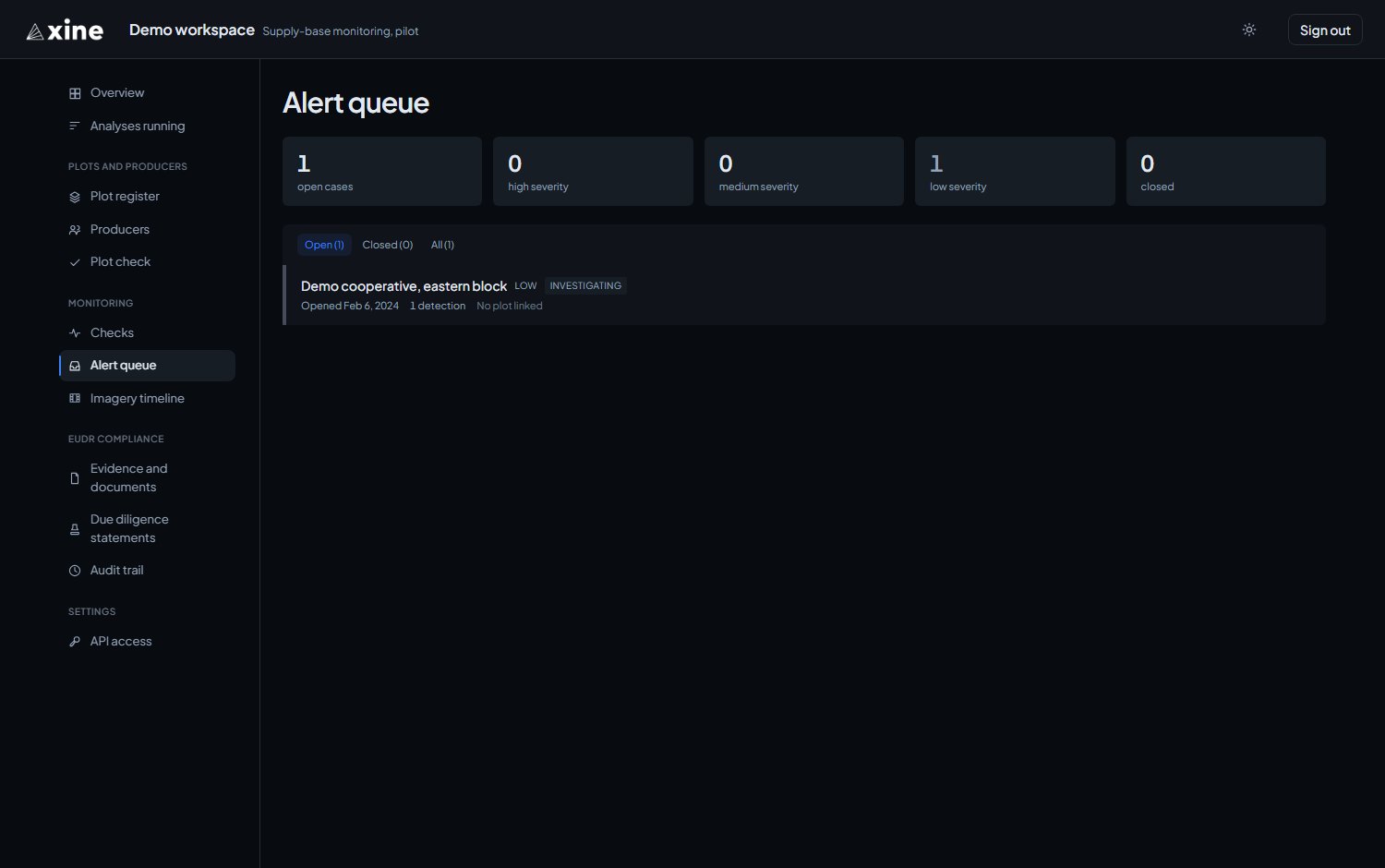
Monitoring › Alert queue
A case opens when the rule on a watched area fires, so the queue fills only once the Axine team has set up a watch. The default view is open cases, highest severity first; closed cases sit behind their own filter.
Working a case
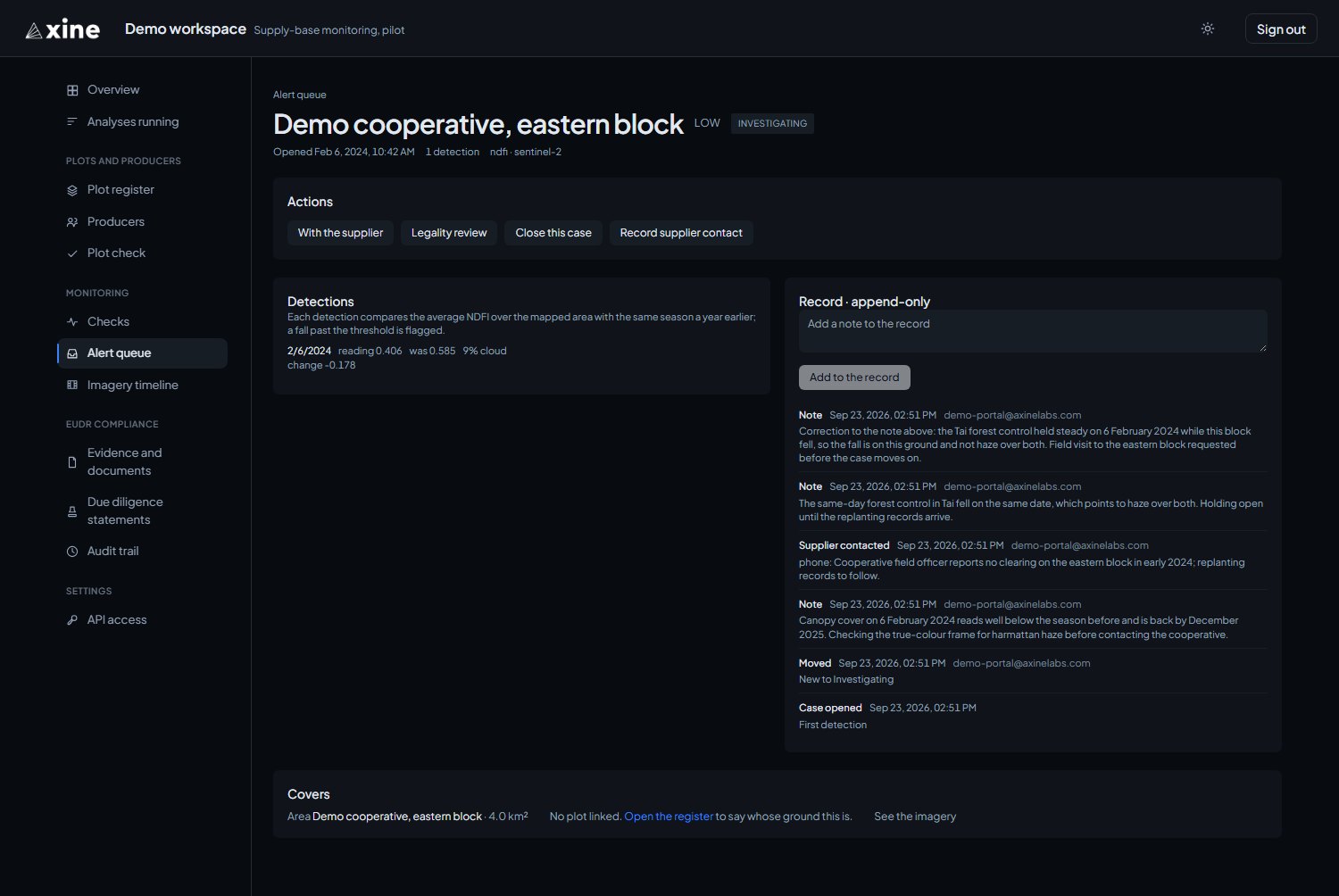
On a case you can:
- move it to Investigating, With the supplier or Legality review;
- record supplier contact with Record supplier contact;
- add notes to the record;
- close it.
Closing asks for a resolution, Not a clearing, Mitigated, Non-compliant or Outside scope, and a note on what was established and how. The record on each case is append-only: every action is kept, in order, and nothing is overwritten.
Imagery timeline
Monitoring › Imagery timeline
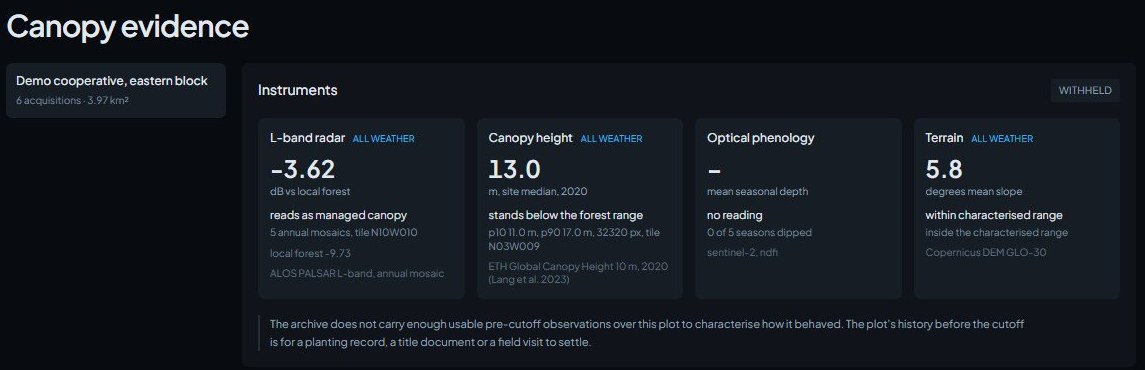
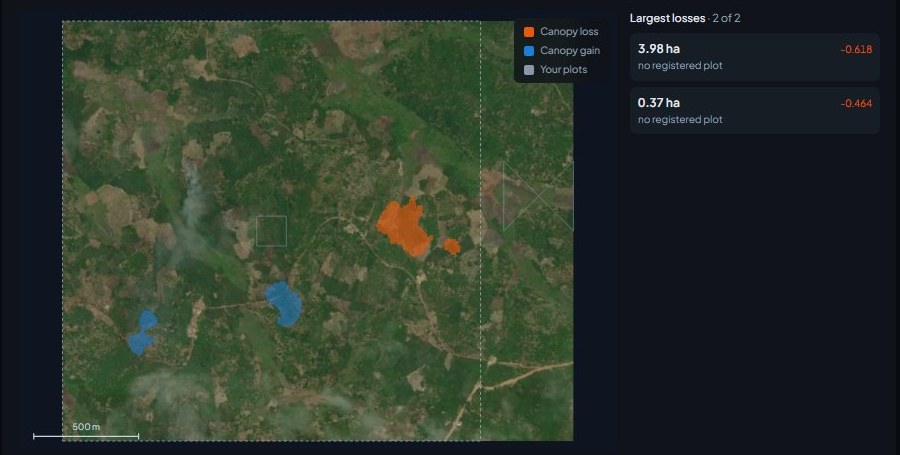
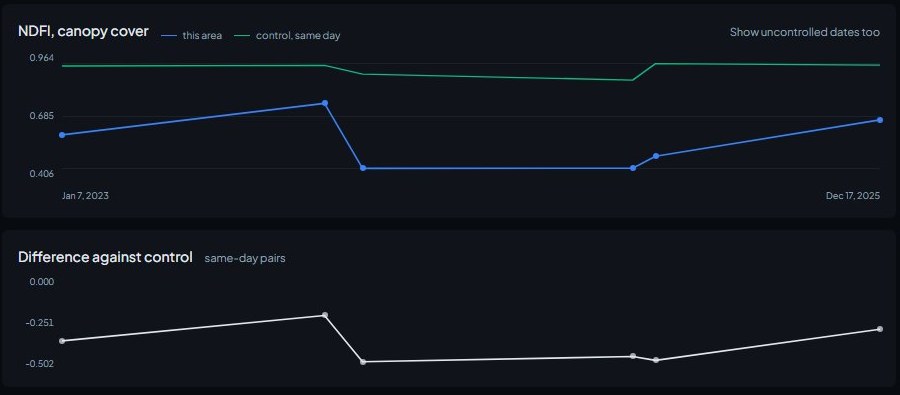
For each watched area it shows the instrument readings, patches of canopy change drawn over the plot boundaries, and the optical record through time against a same-day control. The page is headed Canopy evidence. It is empty until the Axine team has analysed a watched area for you.
Evidence and documents
EUDR compliance › Evidence and documents
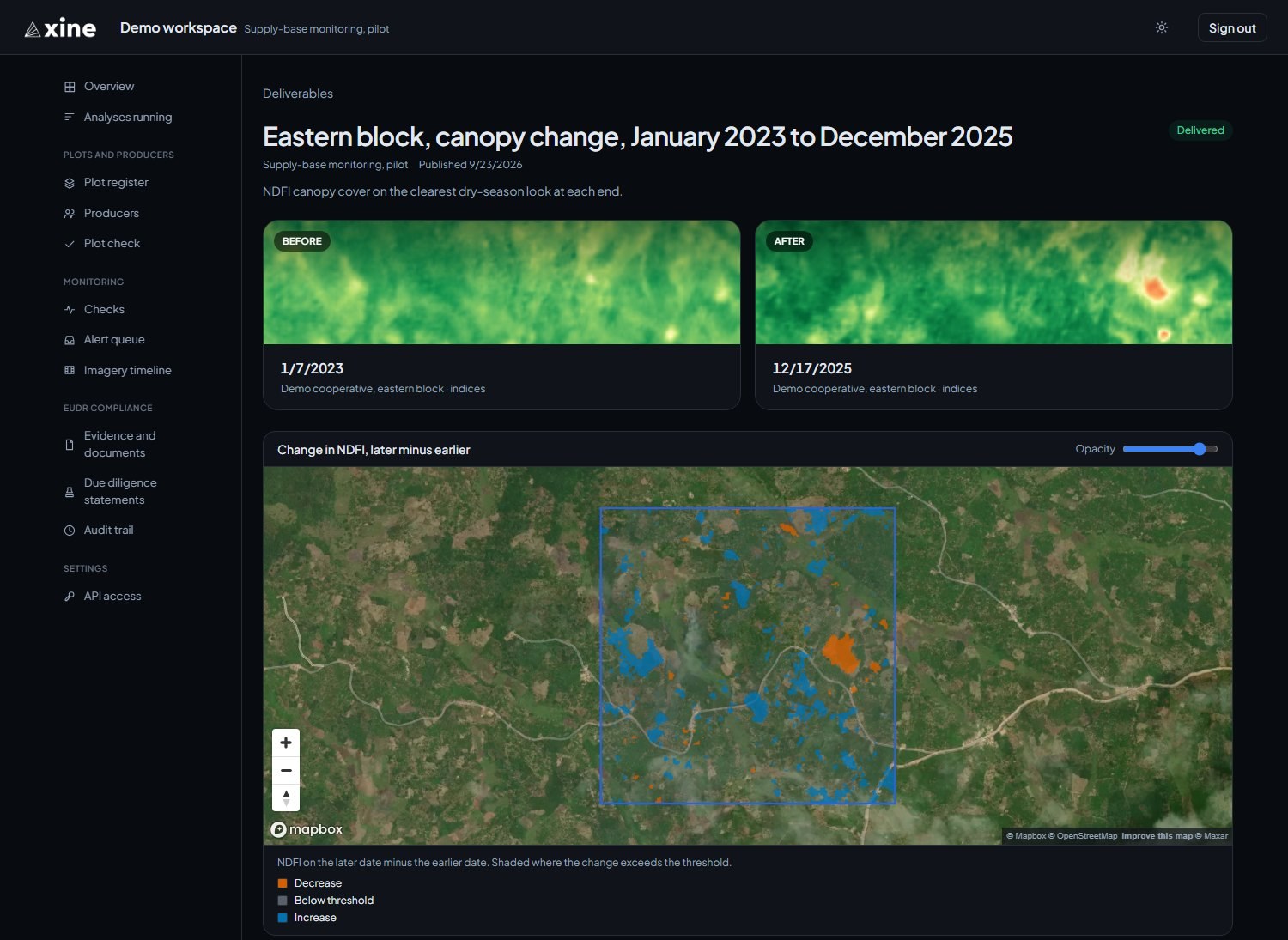
Results the Axine team publishes to you, newest first. A delivered result opens to a map with its downloads, which can include a pre-cutoff evidence PDF and CSV and a due diligence attachment.
Per-plot evidence documents for your own register are on the Plot register, one PDF link per row.
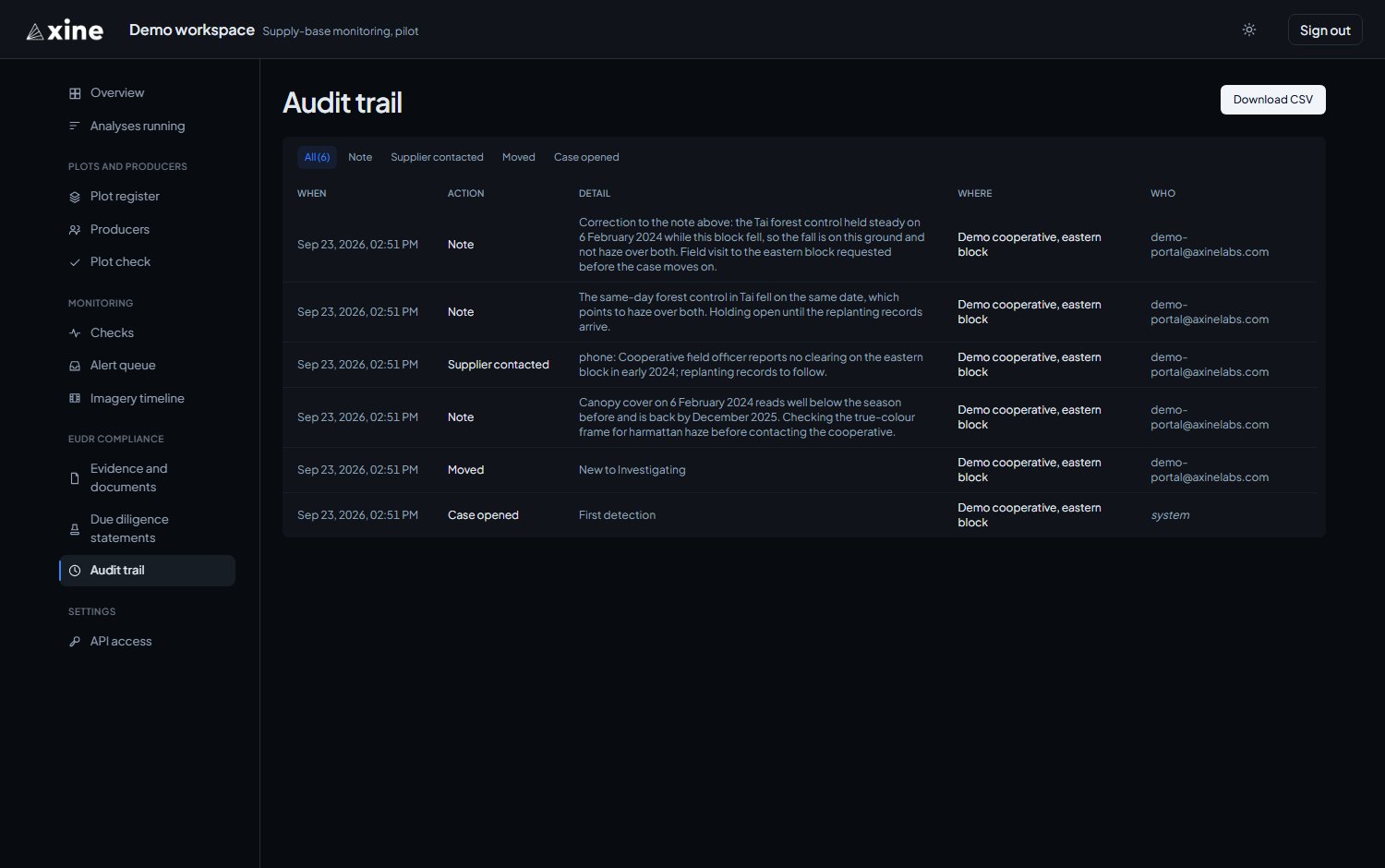
Audit trail
EUDR compliance › Audit trail
Every action on every case across your workspace, newest first, with when it happened, the action, its detail, where, and who. Filter by action, and press Download CSV to take the record into a spreadsheet. It starts when the first case opens.