

Part 08
Monitoring
Standing rules that re-run on every pass and raise an alert when a statistic crosses your threshold.
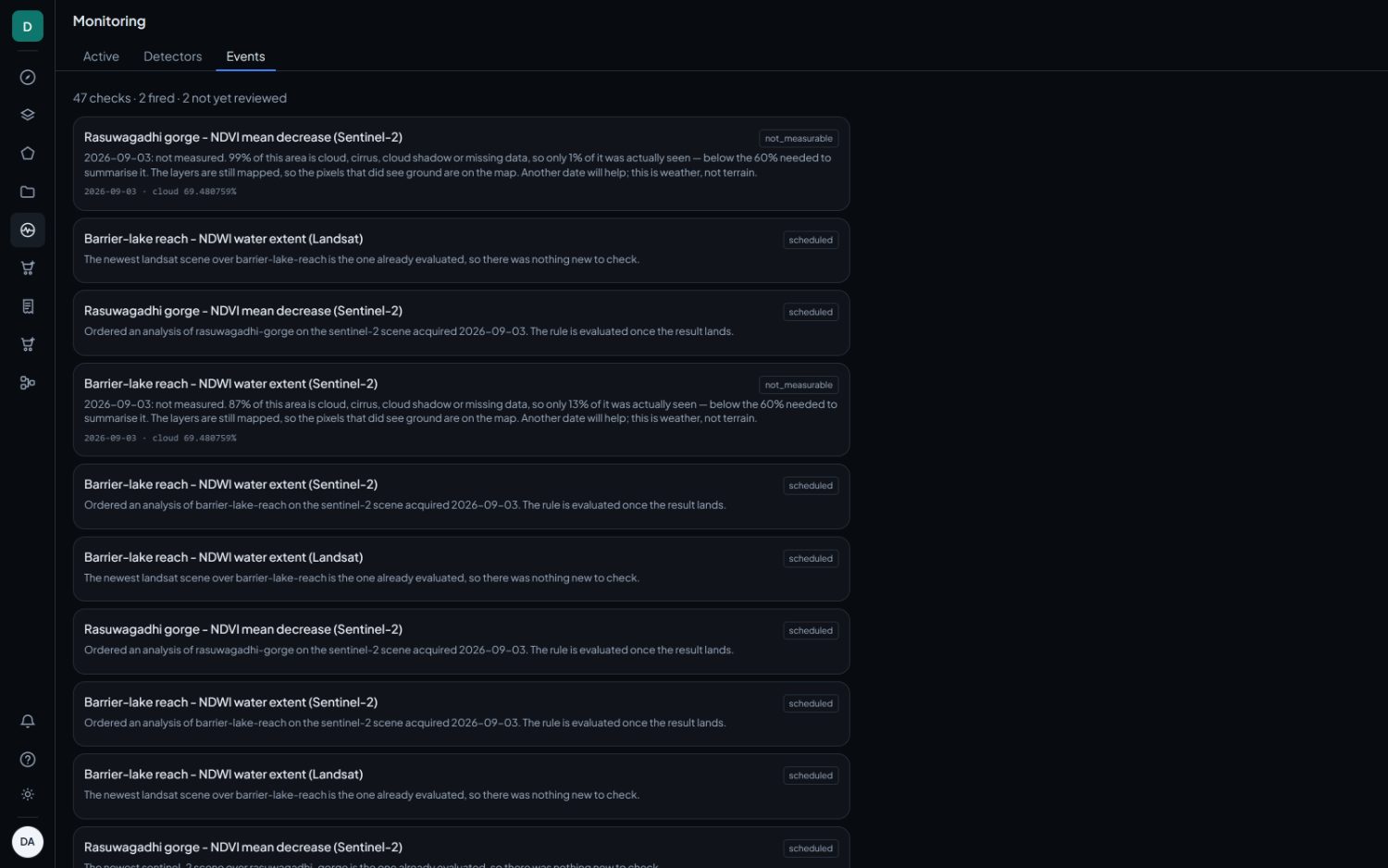
There are three tabs. Active lists the rules you are running, Detectors is a catalogue of ready-made ones, and Events is every check ever made, including the ones that could not conclude.
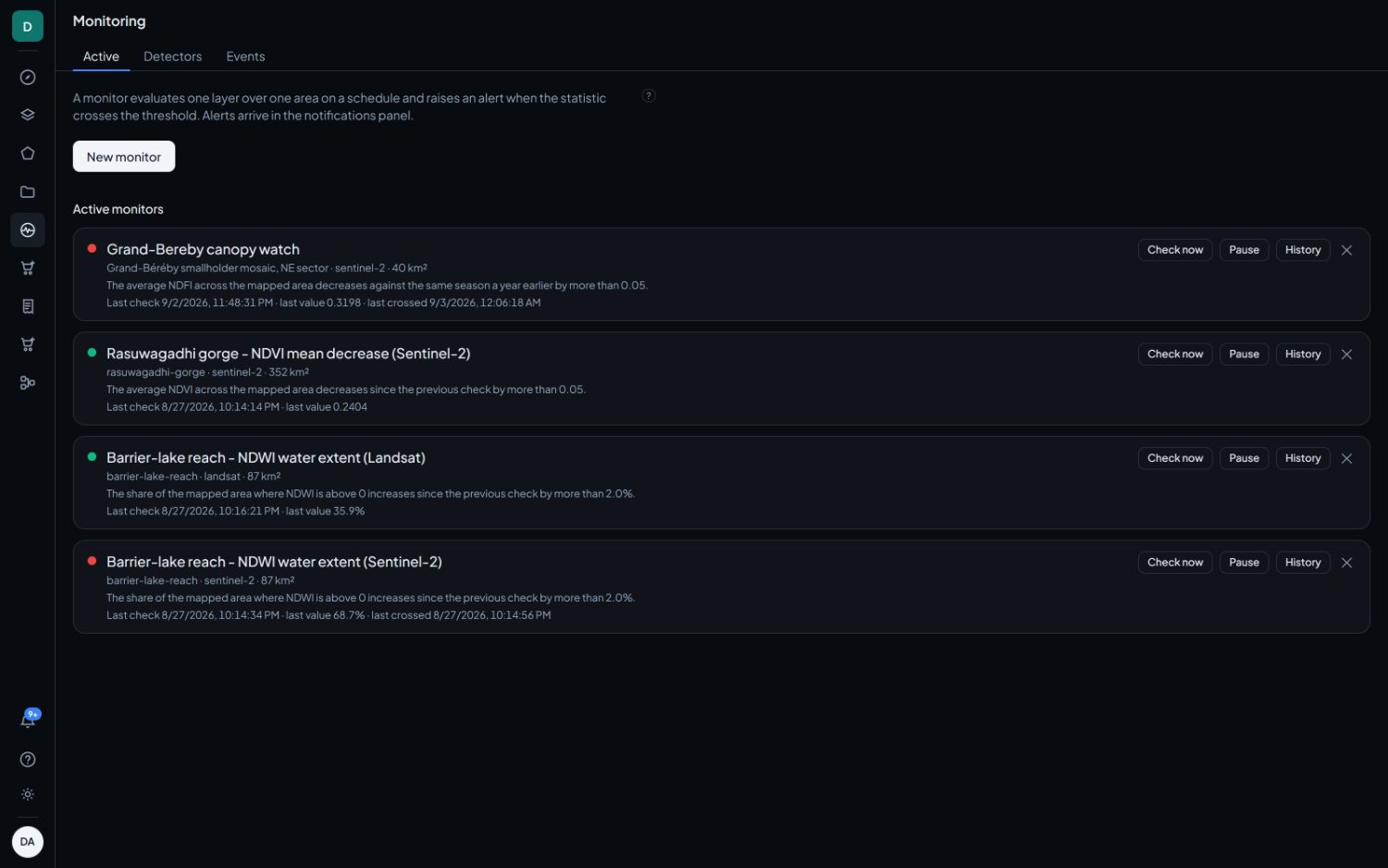
The Active list
One row per monitor, each carrying its area, sensor and size, its rule written out in plain words, the time of its last check, the value it read and when it last crossed.
- Check now forces an evaluation without waiting for the cadence.
- Pause stops it running without deleting it.
- History is every check this monitor has made. It is what you want when an alert needs defending.
Creating a monitor
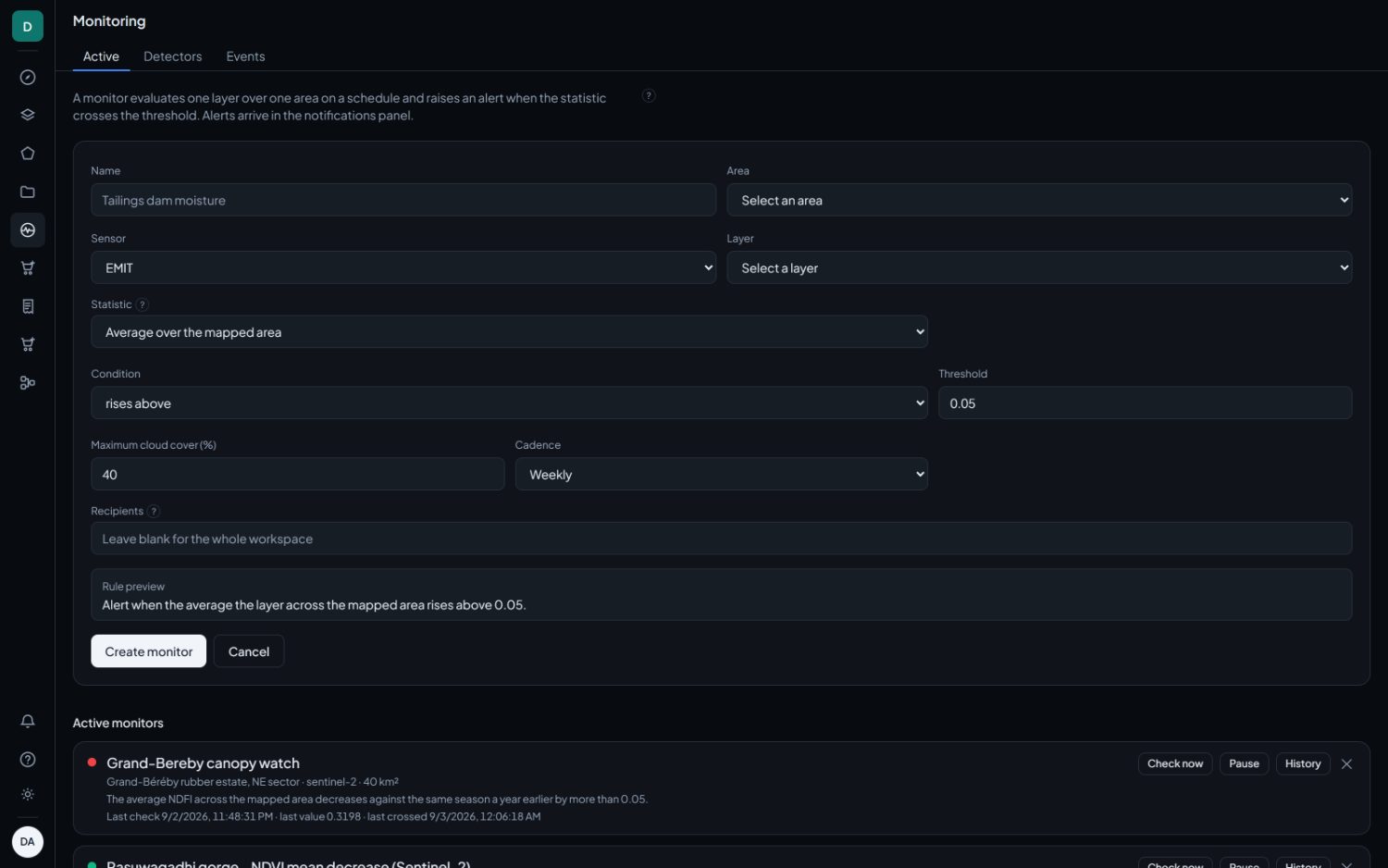
Monitoring › New monitor
| Field | What it does |
|---|---|
| Name | Yours. Make it say what is being watched, because it is what appears on the alert. |
| Area | One saved area. |
| Sensor | EMIT, Sentinel-2 or Landsat. It decides which layers are offered and how often the monitor can run. |
| Layer | Any layer that sensor can produce. |
| Statistic | Average over the mapped area, 90th percentile over the mapped area, or share of the mapped area above a pixel value. |
| Pixel value above | Only for the share statistic. The per-pixel value that counts as flagged. |
| Condition | Six, listed below. |
| Threshold | The number the condition compares against. On a share statistic it is a fraction from 0 to 1. |
| Minimum flagged area | On rising share rules only. The flagged ground must reach this many km² before an alert is raised, so speckle over a large area stays quiet. |
| Maximum cloud cover | Scenes cloudier than this are not evaluated. |
| Cadence | Daily, every 3 days, weekly, every 2 weeks, or monthly. |
| Recipients | Workspace members by email address. Blank means everyone in the workspace. Nothing is sent outside the app. |
A Rule preview under the form writes the whole rule out as a sentence before you commit. If the sentence does not say what you meant, the form does not either.
The six conditions
| Condition | Compares against |
|---|---|
| Rises above | An absolute value. |
| Falls below | An absolute value. |
| Increases since the previous check by more than | The last conclusive check. |
| Decreases since the previous check by more than | The last conclusive check. |
| Increases against the same season a year earlier by more than | The conclusive check nearest the same date one year back. |
| Decreases against the same season a year earlier by more than | The same, in the other direction. |
Use them for anything with an annual cycle. A deciduous crop falls and recovers every year, and a consecutive-check rule flags that cycle as change. One estate measured across a single dry season read 0.69, then 0.49, then 0.32, raising two flags with no felling anywhere.
The reference for a seasonal rule is the nearest conclusive check within 45 days of the same date a year back. Where no such check exists, this year's reading is recorded as next year's reference and nothing is claimed.
Why a check can be inconclusive
All three statistics are aggregates over the whole mapped area, so a single noisy pixel cannot raise an alert. There is deliberately no maximum statistic, for exactly that reason.
A check also needs at least 100 pixels carrying data. Below that it is recorded as not measurable with the reason spelled out: how much of the area was cloud, cirrus, shadow or missing data, and how much was actually seen. An inconclusive check is never recorded as an all clear, and the layers are still mapped, so the pixels that did see ground are on the map either way.
Detectors
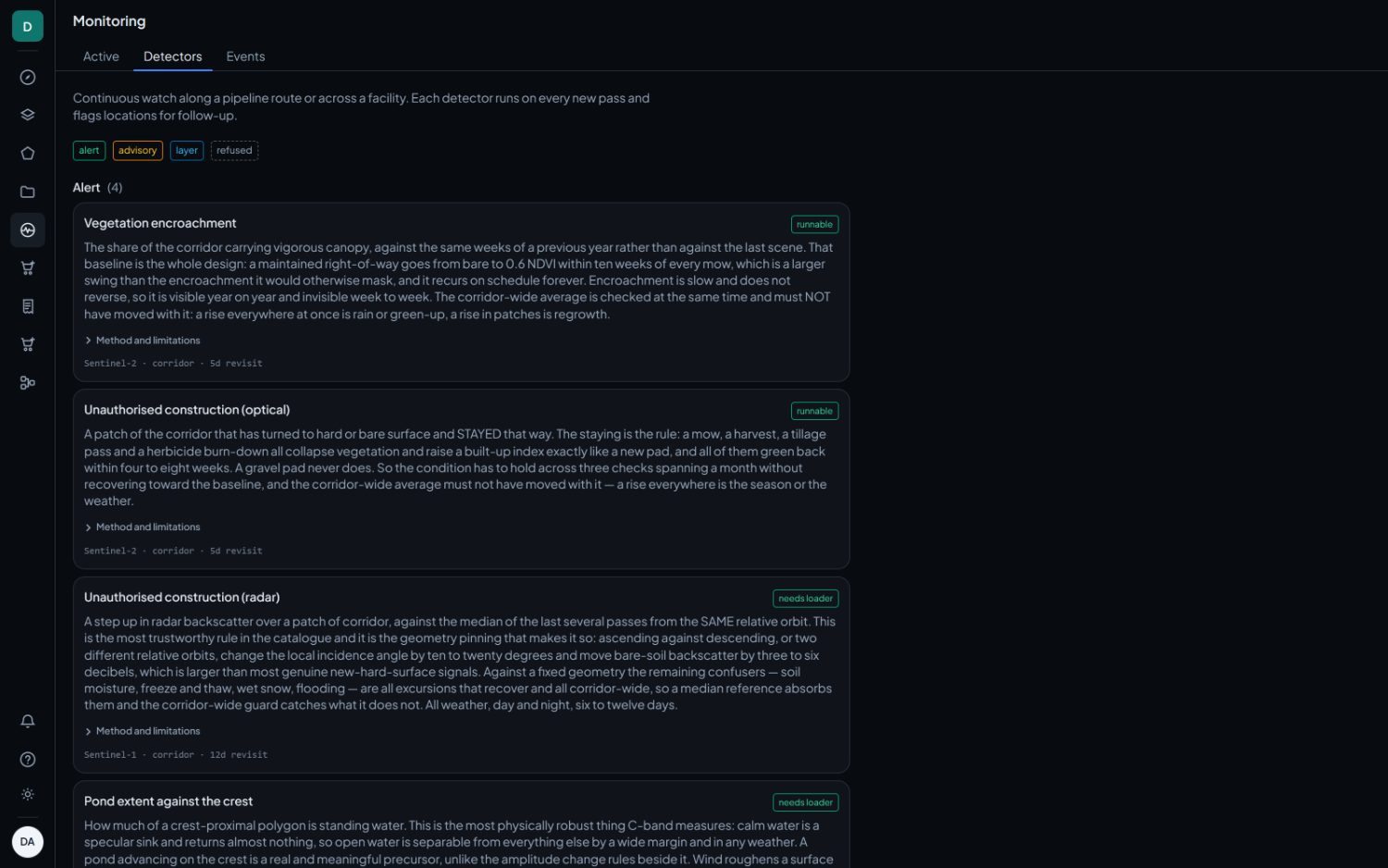
A catalogue of ready-made rules covering what can usefully be watched along a pipeline or across a site. Each states which sensor it uses and how often that sensor comes back, so the cadence you can actually get is visible before you commit to a rule.
Confounders
Cloud, the season and the angle of the sun all move these numbers without anything happening on the ground. Every alert carries the scene date, the cloud cover and the visible fraction of the area so you can rule those out first. An alert is a reason to look, not a finding.